
How to Leave a Review on Yelp
How to Leave a Yelp Review on Desktop
1. Go to the Yelp website on your desktop. Create an account, or log in with your email address and password.
2. Click the “Write a Review” link at the top right corner of your screen.
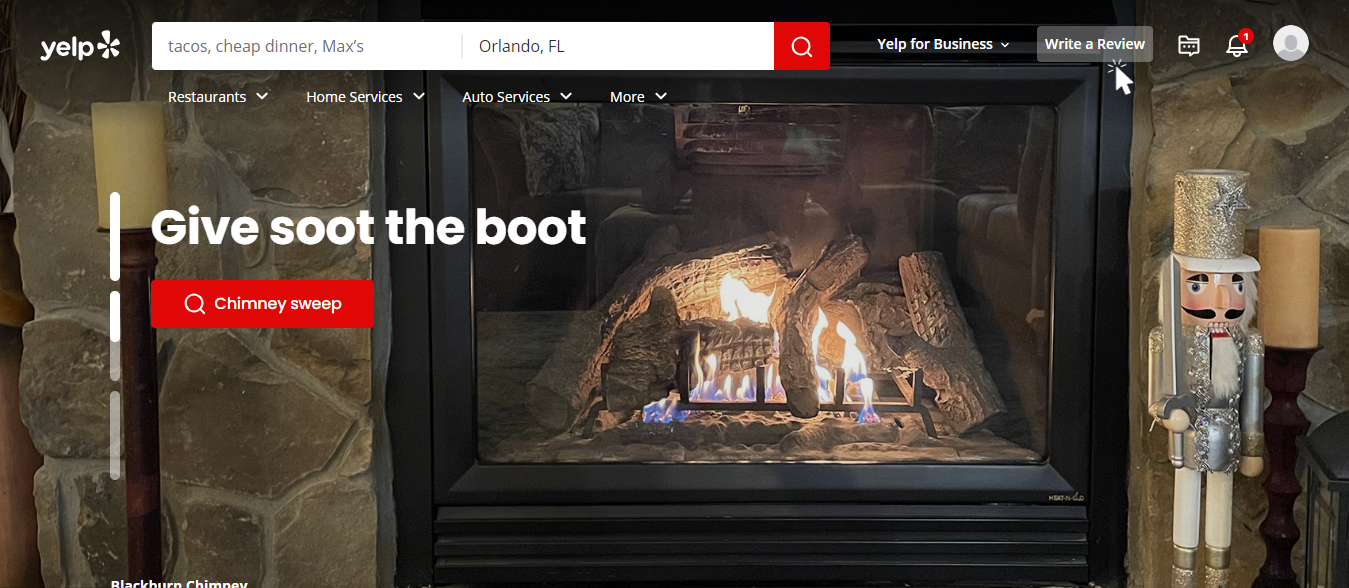
3. Type the name of the business you want to review in the search bar.
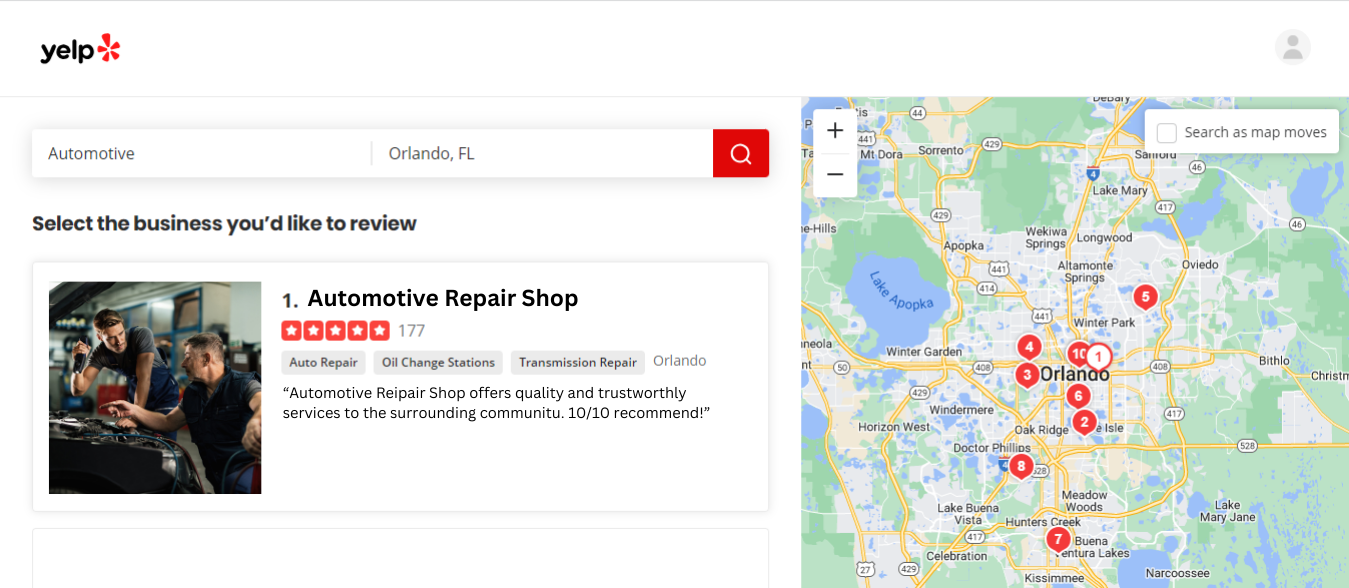
4. From the search results, locate the correct business and click the link to its business page. Yelp will direct you to a page where you can leave your review.
5. Choose a star rating between one and five, with five stars being the best, and type your review. When writing your review, provide as much detail as possible. Add photos, if available, to help other patrons learn more about the business.
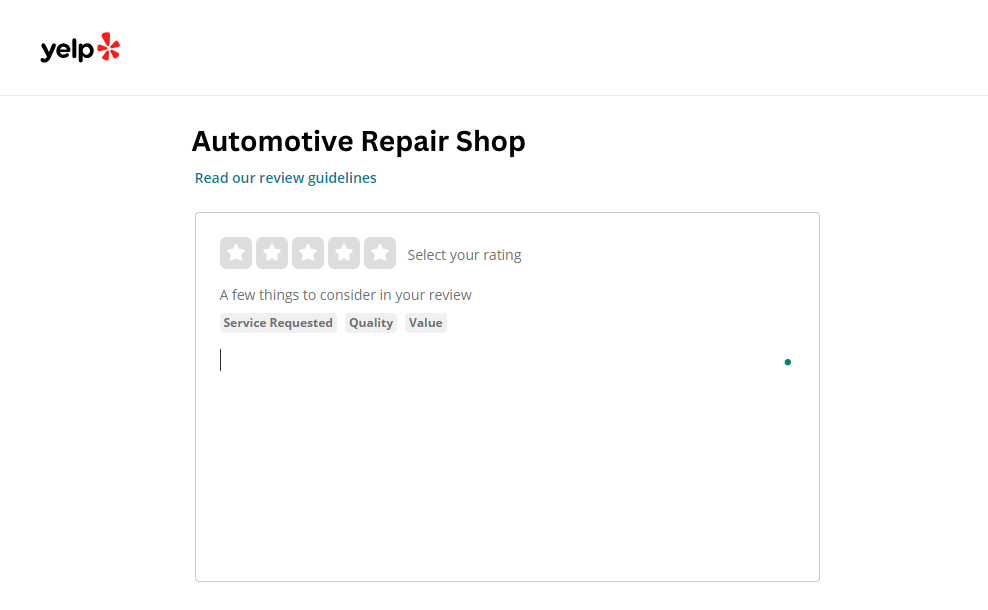
6. Click the “Post Review” button to share your thoughts with the Yelp community.
How to Leave a Yelp Review on Mobile
1. Download the Yelp app on your smartphone or mobile device.
2. Create an account, or log in with your email address and password.
3. Click on the “Me” icon to access your profile.
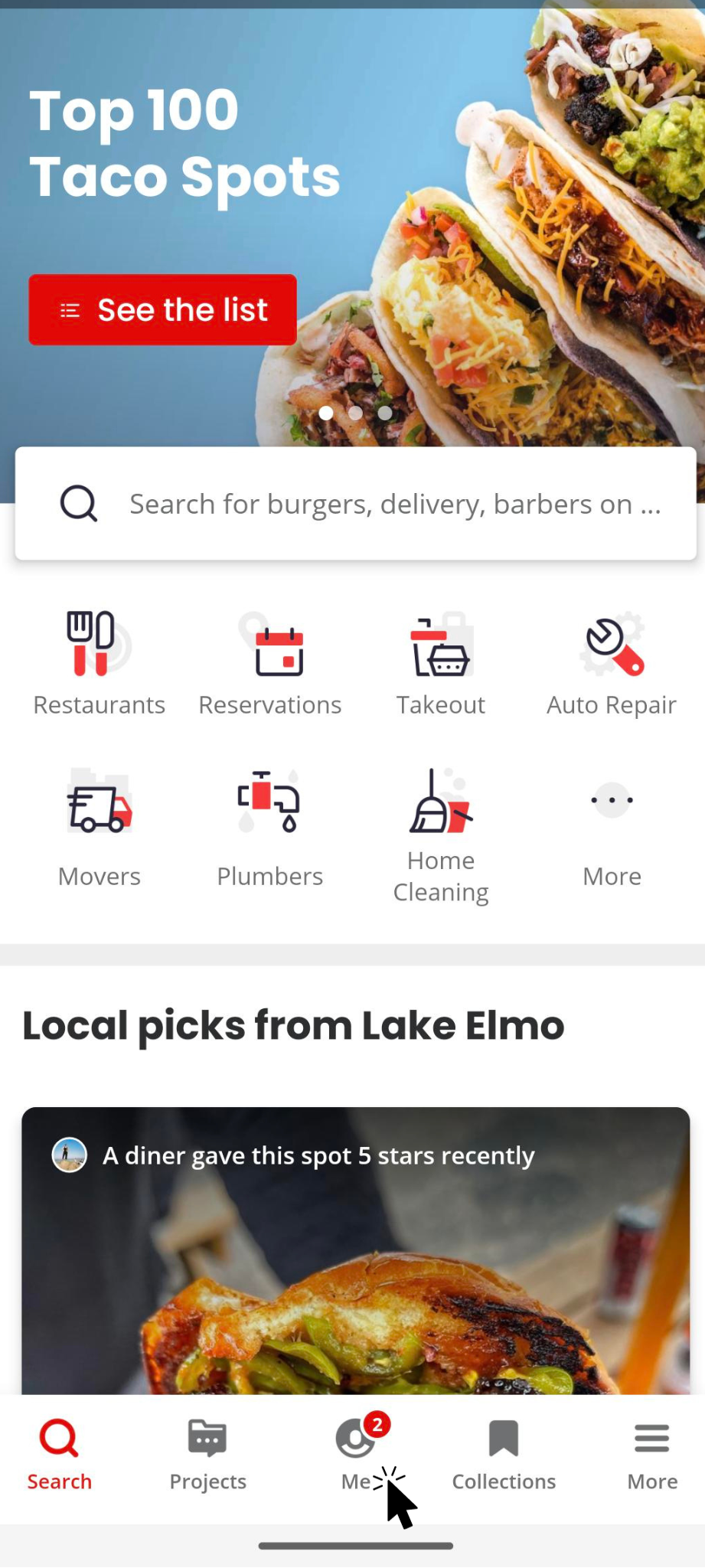
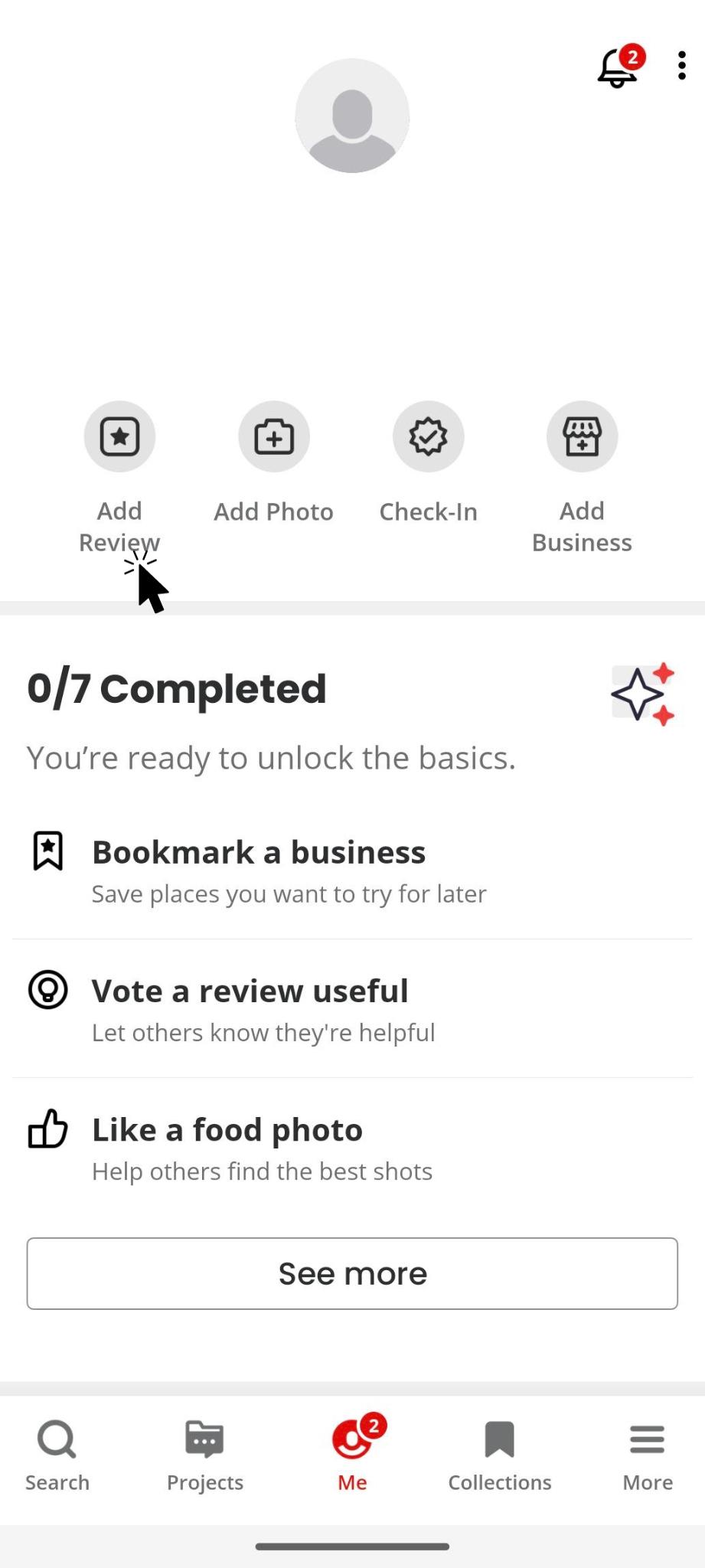
4. Click the “Add Review” button under your account information to start your review.
5. Yelp will prompt you to search for the correct business and click on its business page.
6. Follow the same steps you would on a desktop, and click “Post Review.”
Why Leave a Review on Yelp?
When you leave a Yelp review, you can tell others about your positive experiences with local businesses. Whether discussing a business’s exceptional products and services, customer service, atmosphere, or pricing, your review helps others decide where to spend their dollars. Here are some reasons to consider leaving a Yelp review:
- Yelp reviews show your support for a business. People researching a business online will read about others’ experiences with the shop. Sharing your positive experiences regarding their services, products, and staff helps others decide whether that business is right for them.
- Your reviews can help drown out negative reviews. There will always be people who are dissatisfied with a business, regardless of how excellent the services or products might be. When these customers leave a negative online review, it can harm the business’s reputation. However, when the positive reviews outweigh the negative, customers are more likely to overlook any negative commentary.
- A Yelp page with ample reviews encourages transparency. Candid customer feedback enables businesses to appear more trustworthy and build confidence among potential customers.
If you’re ready to post a Yelp review, the following guidelines will help you provide feedback on desktop and mobile devices.
Discover the Possibilities With Reputation Management
Businesses of all kinds can benefit from enhancing their online reputations with Yelp reviews. If you’re a business owner looking to attract more local customers, encourage your patrons to share their positive feedback online. Platforms like Yelp can help potential customers find businesses like yours and pay it forward with Yelp reviews of their own.
At Optimize Digital Marketing, we help small businesses nationwide with their reputation management, social media management, websites, and digital marketing. We’re also committed to providing our audience with the most up-to-date information on current online marketing trends.
If you’re a business owner and want to know more about how Optimize can help with your
online reputation and digital marketing strategy, schedule a free consultation today!
View Our Latest Posts